Hardware & home improvement retail
Stock management software for hardware stores and trade suppliers
TradeSorter is my own product, sold as a subscription rather than built for one client. It is stock control for hardware stores, home improvement retailers, builders’ merchants and trade suppliers — the businesses that are too big for a spreadsheet and too small to want an ERP.
The whole thing is built around one idea: every movement of stock should be scanned, and every movement out should have a reason attached to it. Once that is true, the reports answer themselves.
- Sector
- Hardware & home improvement retail
- Stack
- Vue · .NET Core
- Role
- Product owner & developer
The problem
What normally goes wrong in a trade stockroom
The shelf and the system disagree
Counts drift between stock takes. The system says twelve, the rack has three, and nobody can say when the other nine left or who took them.
Stock leaves without a name on it
Materials go out to a job or across the counter with no record of which. At the end of the month there is no way to tell what was sold from what was consumed.
Reordering starts when the shelf is empty
Without a minimum level per product, a shortage is discovered by a customer asking for something. The order then goes in as a rush, at a worse price.
Delivery notes are typed in twice
The supplier’s note arrives on paper or as a PDF, and someone keys the lines in by hand — or does not, and the stock figure is wrong from that morning onwards.
The ERP is more system than the shop needs
Full ERPs cost more than they save at this size, and the people on the counter quietly go back to the spreadsheet because opening the system takes too long.
New lines have no barcode
Own-brand, cut-to-size and loose items arrive with nothing to scan, so they fall out of the process that works for everything else.
The answer
What TradeSorter does about it
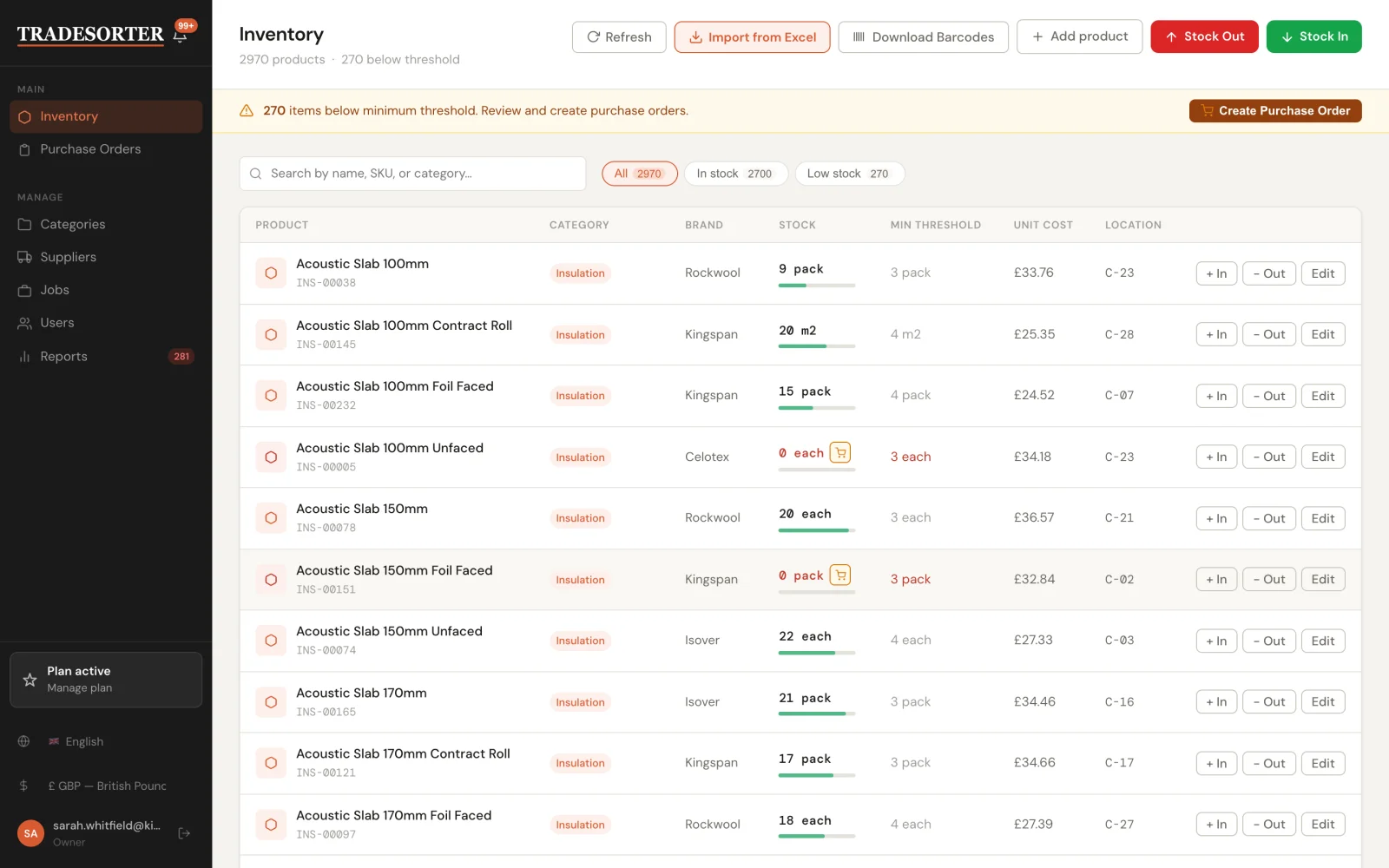
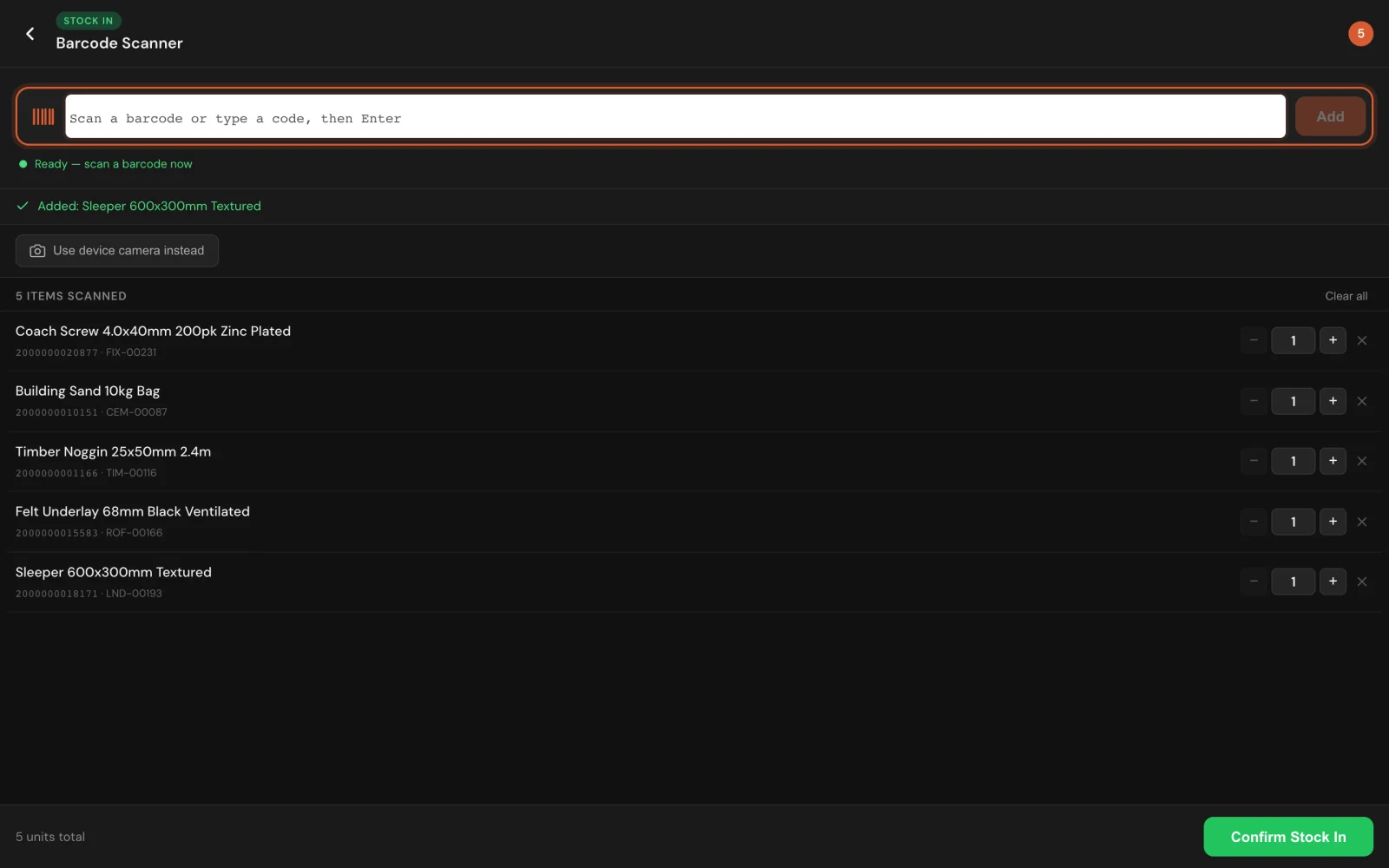
Stock goes in and out by scan. Any phone, tablet or laptop camera is the scanner, and a keyboard-wedge gun works the same way — scans land in a batched list that is confirmed in one go rather than one product at a time. Anything without a barcode gets one generated and printed, so nothing sits outside the process.
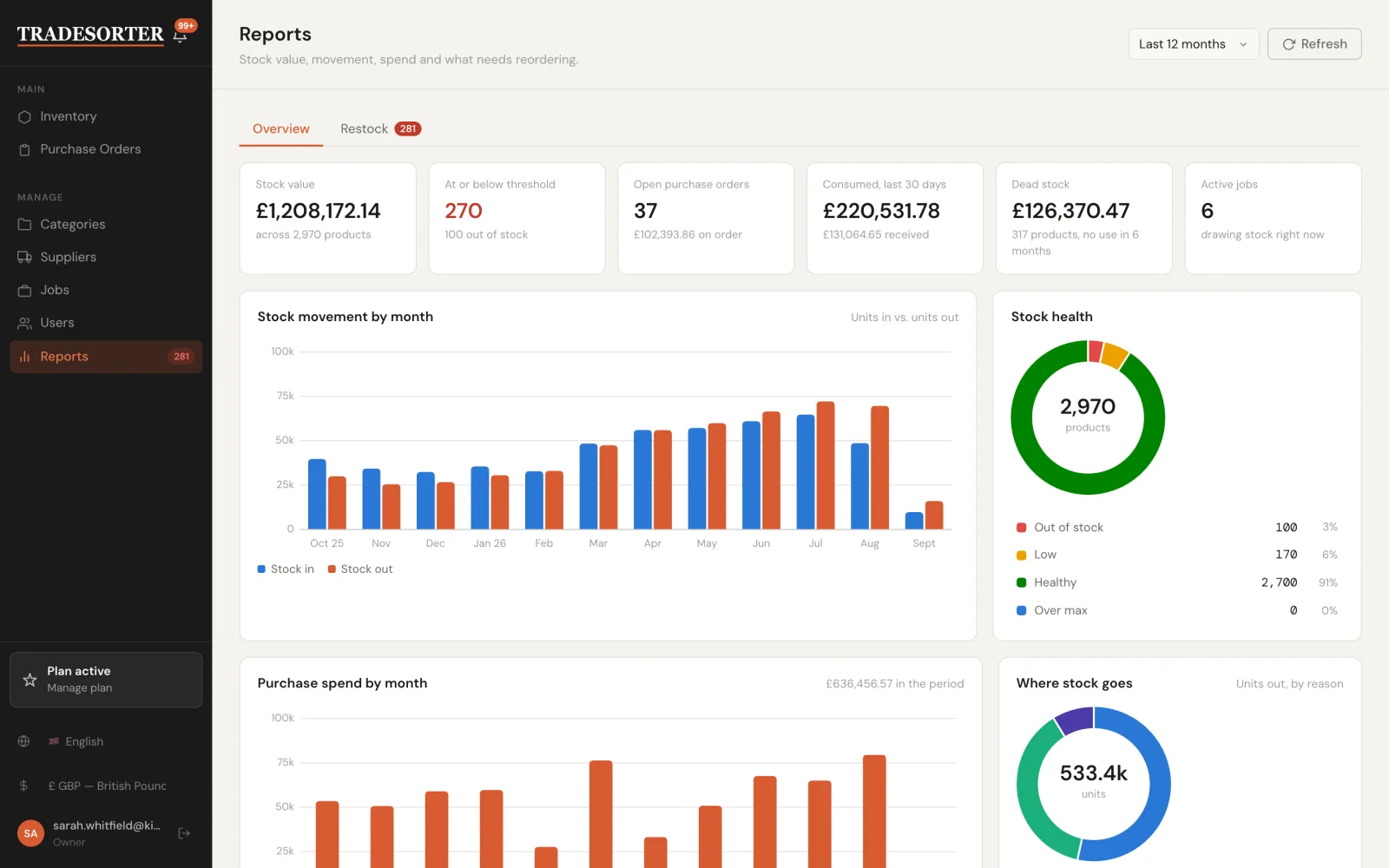
Every stock-out is attributed. It is either a sale or a job, which is what makes the reports worth reading: consumption by job, dead stock, and what a project actually drew from the shelf.
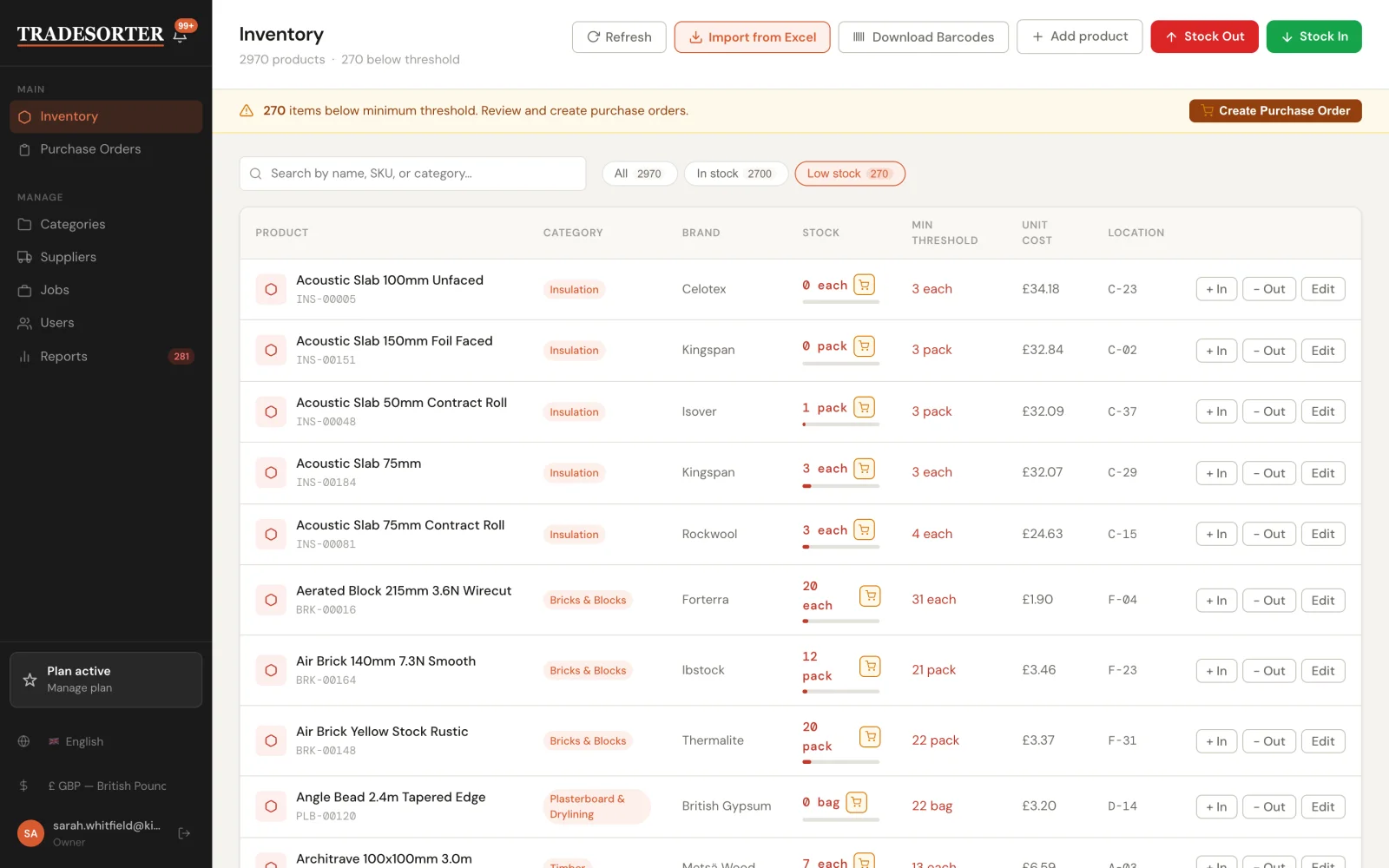
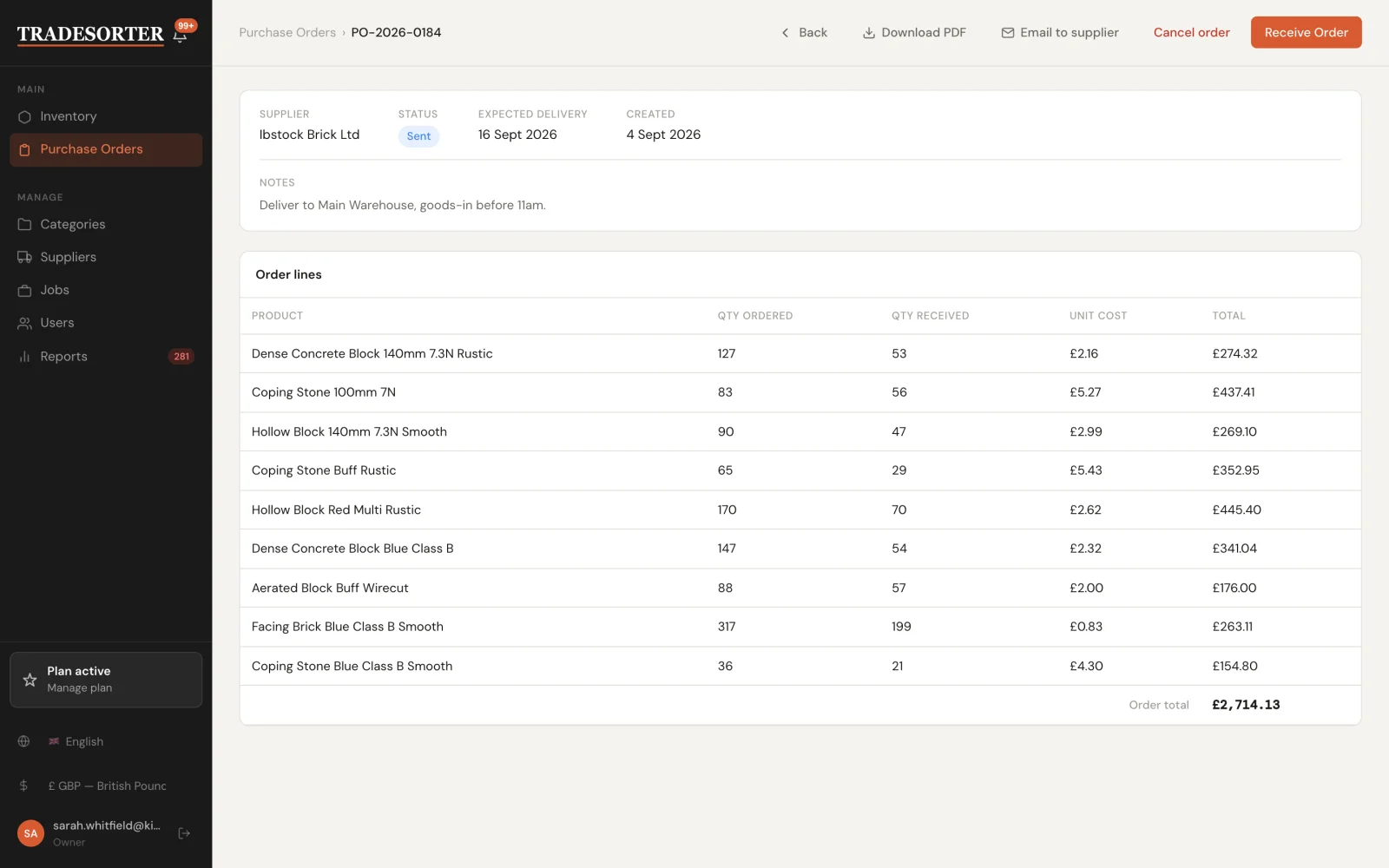
Every product carries a minimum threshold. The inventory list filters to what is under it, and those lines turn into a purchase order in one click rather than being retyped.
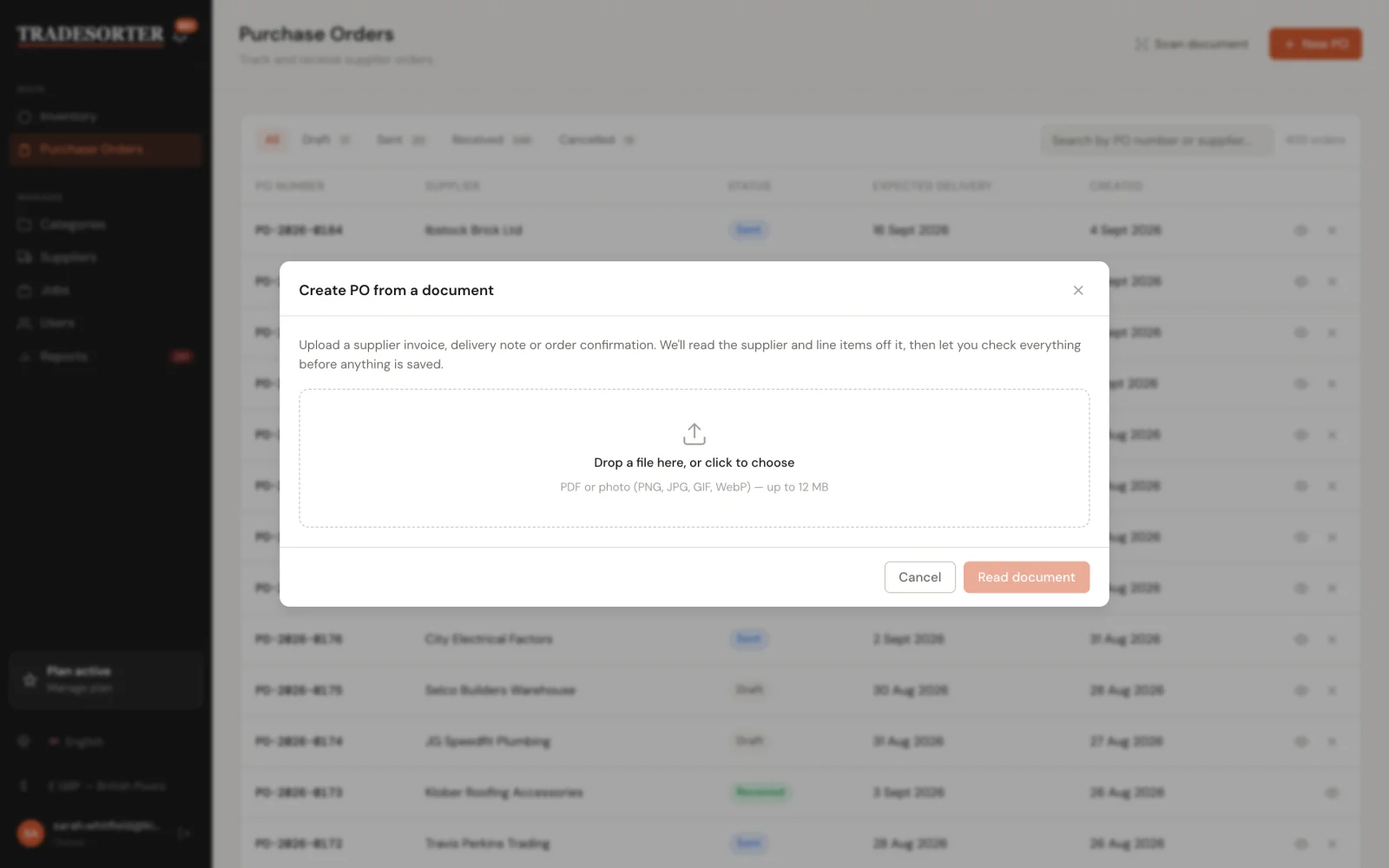
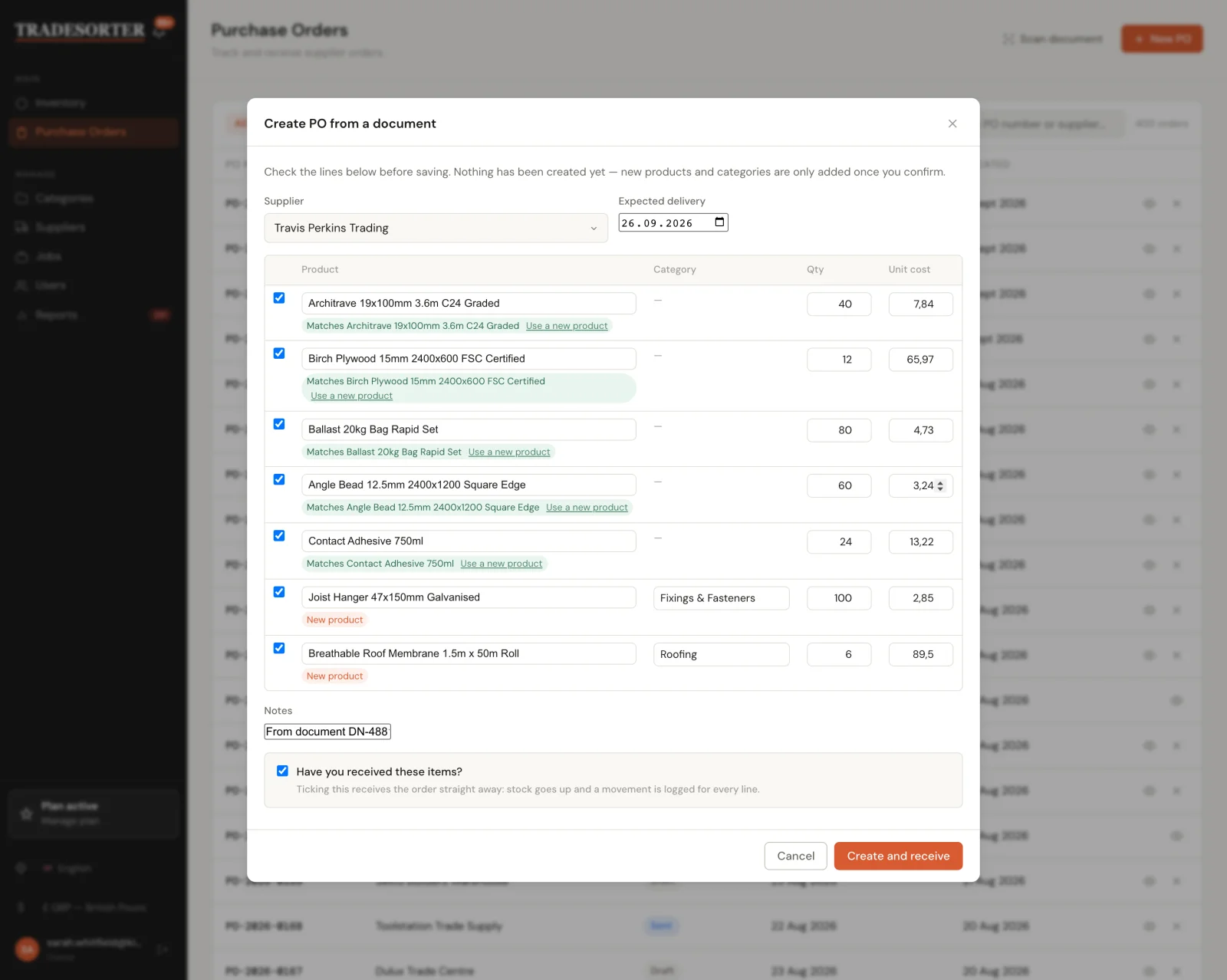
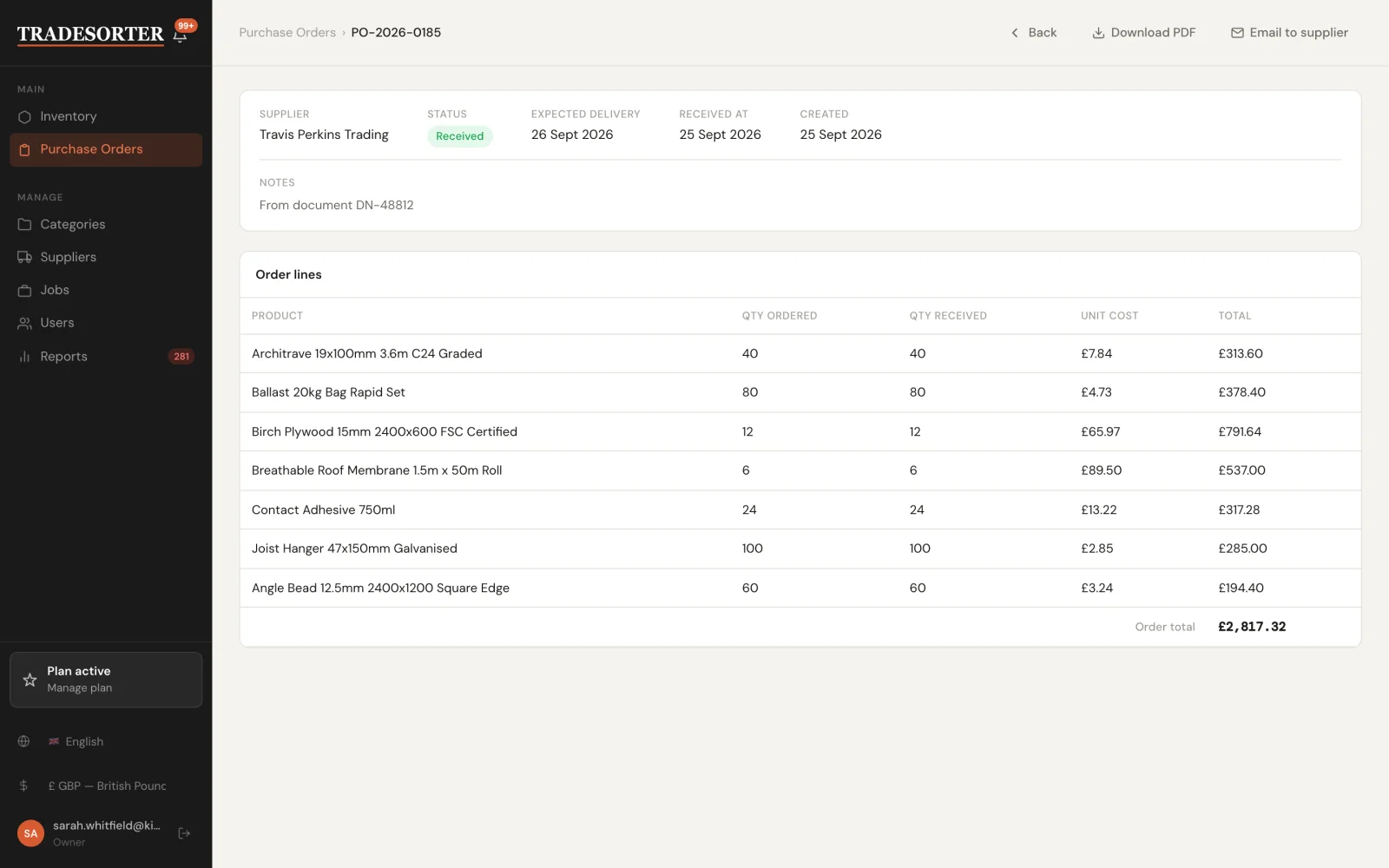
A supplier’s delivery note can be dropped in as a PDF or photographed on a phone. Claude reads it, matches each line against the existing catalogue, flags the lines that are new and suggests a category for them. Nothing is written to the database until the lines are checked and confirmed — and ticking one box receives the order at the same time, so stock rises and a movement is logged against every line.
Screens
What it looks like in use.
Features
What is in it
- Barcode scanning from any device camera, or a keyboard-wedge scanner
- QR codes for shelves, bins and job sites
- Barcode generation and printable labels for products that arrive without one
- Stock in against a purchase order, or ad hoc when a delivery turns up unannounced
- Stock out tagged to a sale or to a job, always
- Minimum thresholds per product, with a filtered low-stock view
- Purchase orders through draft, sent, received and cancelled, with line costs and totals
- Email a purchase order to the supplier, or export it as a PDF
- Create a purchase order from a photographed or uploaded delivery note
- Full movement history on every product record
- Reports: stock value, movement by month, purchase spend, dead stock, consumption by job
- A restock list ranked by urgency, with suggested quantities and cost
- Suppliers, categories and site jobs as first-class records
- Owner, Admin and Warehouse Staff roles
- Multi-tenant sign-in by company ID, with per-tenant currency and language
- Responsive down to a phone, because half of this happens in the yard
Under it
How it is built
Paddle handles subscriptions and acts as merchant of record, so tax is not my problem in thirty jurisdictions. Resend sends the transactional mail — purchase orders to suppliers, low-stock alerts, account email. Claude does the document reading: there is no OCR step and no per-supplier template to maintain, which is why it works on a delivery note it has never seen before.
Questions
The things people ask first.
Do I need to buy barcode scanners?
No. The camera on a phone, tablet or laptop is the scanner. If you already own keyboard-wedge guns they work too — they type the code into the scan box and the line is added.
Is this an ERP?
No, and deliberately so. It covers stock, purchase orders, suppliers, jobs and the reports that come off them. There is no general ledger, no payroll and no CRM, which is what keeps it quick enough that the counter actually uses it.
Can I bring my existing product list in?
Yes. The catalogue imports from a spreadsheet at set-up, and products can also be created as you scan them in for the first time.
What happens to stock that has not moved in months?
It shows up as dead stock in the reports, with the value tied up in it. That is usually the first report people find useful.
Can I see it running?
TradeSorter has its own site at tradesorter.com, with a free trial. The screenshots on this page are from a demo tenant, so the figures are fictional but the screens are real.
TradeSorter is live and sells itself at tradesorter.com. If you run a stockroom that does not fit it, or you are weighing up building something like this for your own trade, I am happy to talk it through — I have made most of the mistakes already. You can reach me at cuneyt.irmak@outlook.com.
More work
Other systems I have built.
- Audit Tracking PortalSafety and quality audits, corrective actions and target tracking for field teams.
- Inventory, Costing & Margin PortalMaterials, estimates and real margin per build, across multiple factories.
- Event & Team Management PortalWeek-by-week crew planning with hotels, vehicles and invoice status per event.
- Scientific Instrument Project Management PortalLab job intake, quoting and approval for in-house machine shops.
- Schedule Planner PortalWeekly rotas across sites, typed by session, with activity counts for funders.