Field inspection & safety
Audit tracking software for field inspection and safety teams
Built for a global manufacturer and service provider of elevators and escalators, whose safety advisors inspect equipment across regions, customers and sub-contractors.
The brief was not really "put the audit form online" — the forms already existed. It was that nobody could answer, in the middle of the year, whether the audits were actually getting done and whether the problems they found were ever fixed.
- Sector
- Field inspection & safety
- Stack
- Vue · .NET Core
- Role
- Full stack developer
The problem
Where audit programmes come apart
The audits are done, the data is not
Inspections are completed on paper or in a form tool and filed. Each one is fine on its own; together they answer nothing, because nothing aggregates them.
Findings are raised, then orphaned
An audit turns up a problem, it gets written down, and there is no owner and no date. Six months later the same problem is found again by a different auditor.
Nobody knows who is behind until it is too late
Targets are annual, so the shortfall becomes visible in November, when there is no time left to catch up.
Every monthly report is rebuilt by hand
Comparing teams, regions and auditors means someone exporting spreadsheets and pivoting them again, the same way, every month.
Sub-contractor work is a blind spot
Work done by sub-contractors is inspected, but it is not filterable, so it cannot be reported on separately when a customer asks.
Evidence has to be reassembled
When a customer or a regulator asks what was inspected on their equipment and what came of it, the answer is a week of digging.
The answer
How the portal handles it
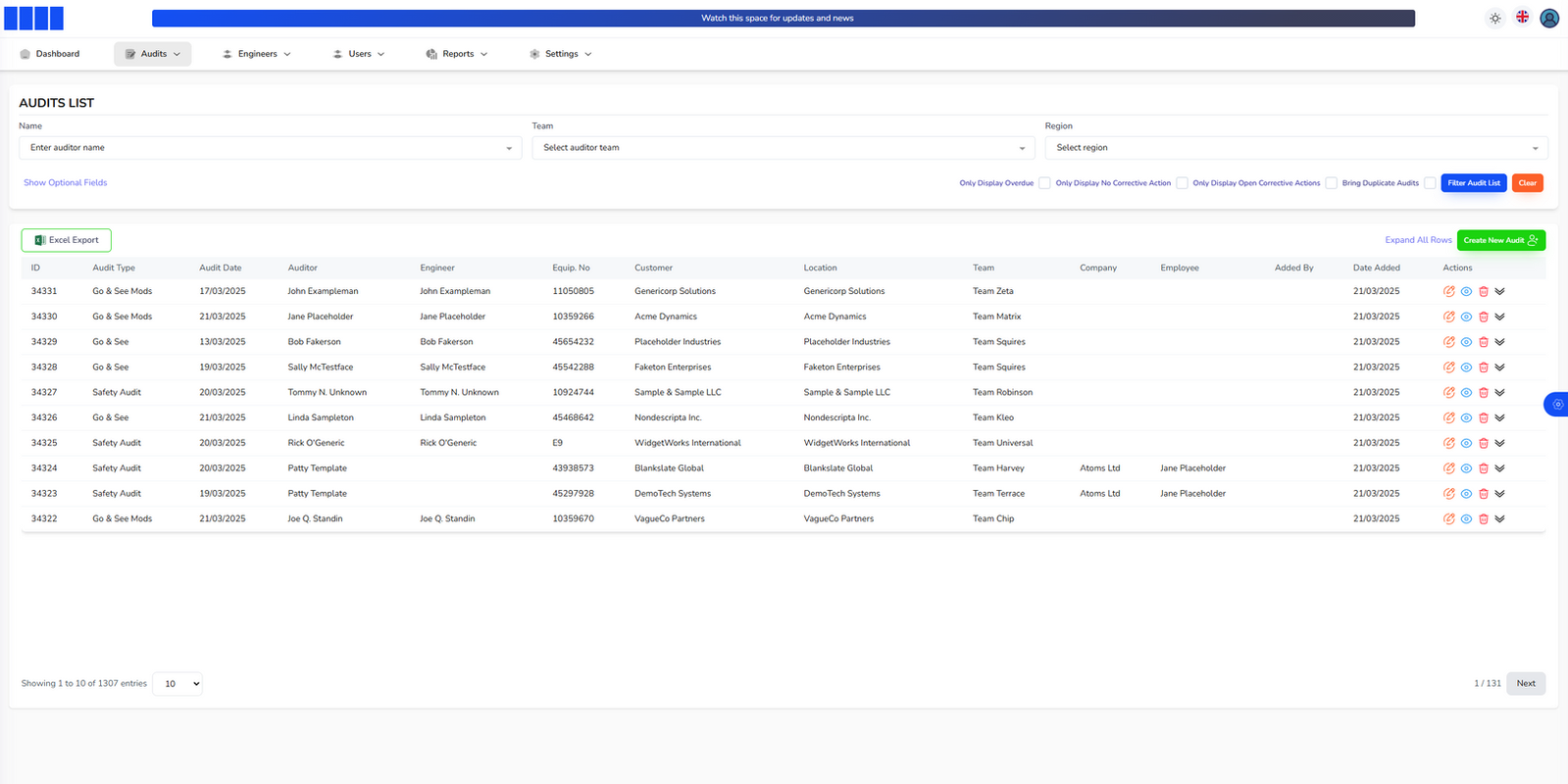
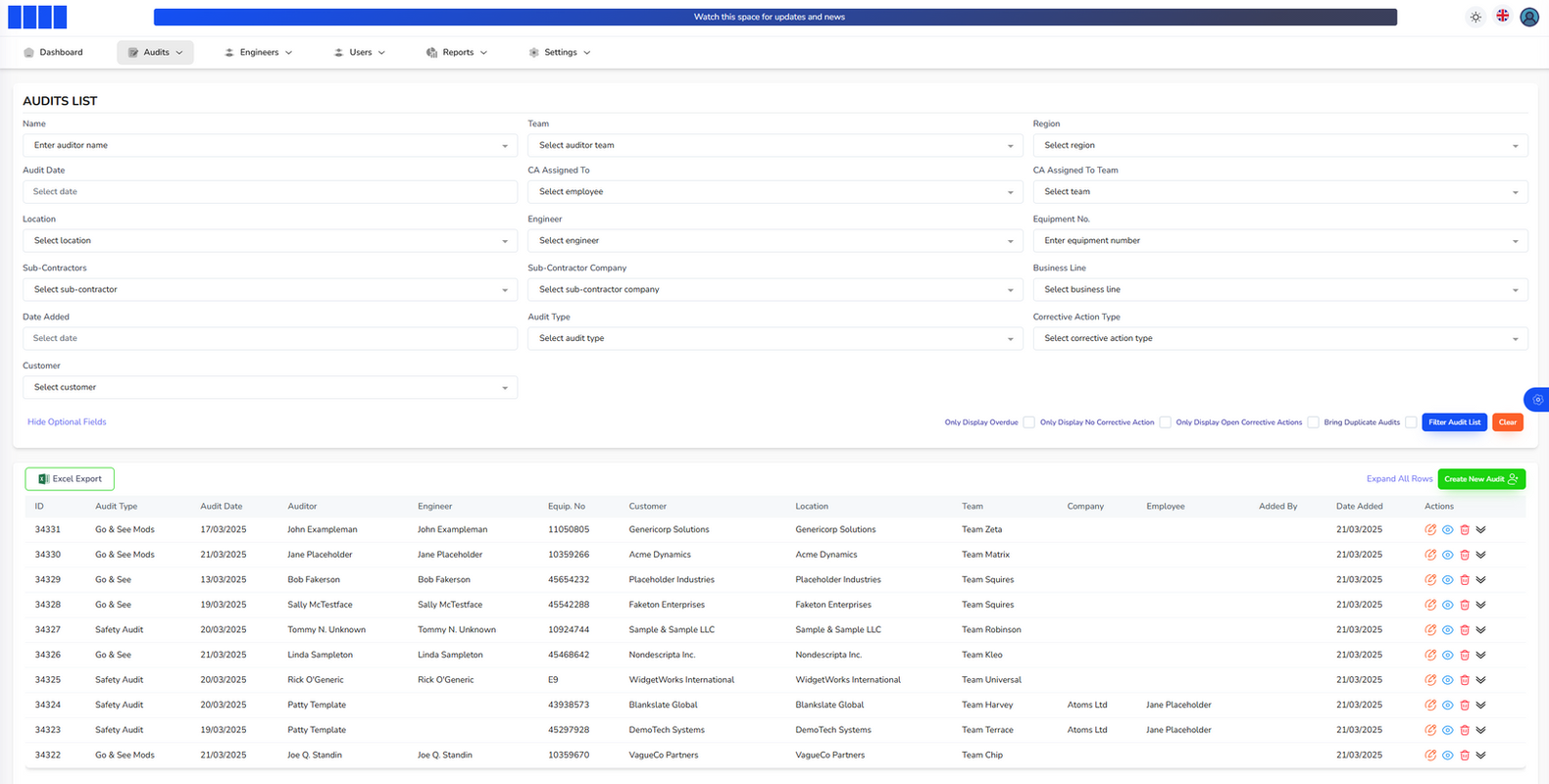
An audit is recorded against the things that make it findable later: type, team, region, customer, location, business line, sub-contractor and equipment number. The audit list filters on all of them, so "every audit on this customer’s escalators in this region this quarter" is a filter, not a project.
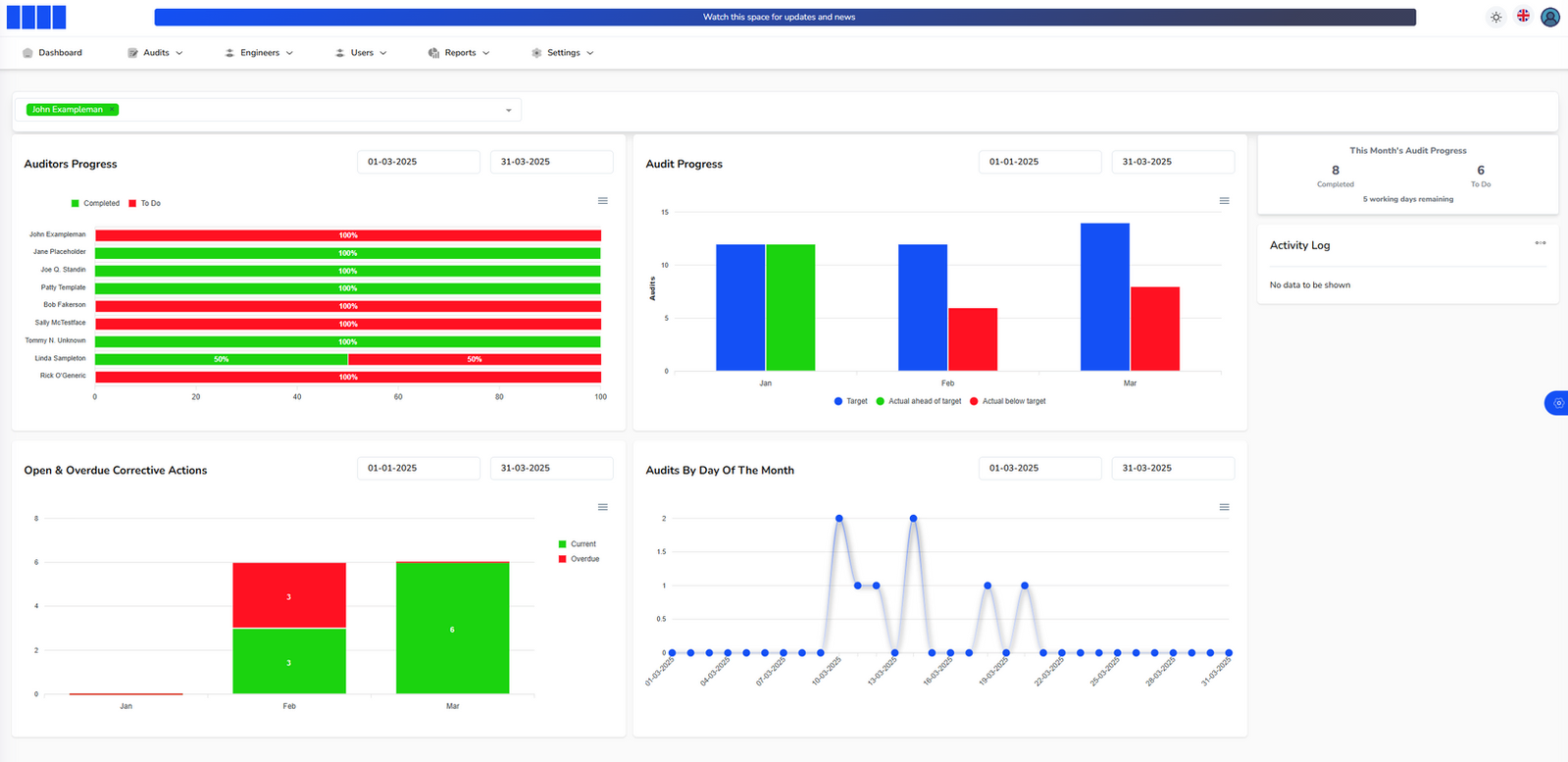
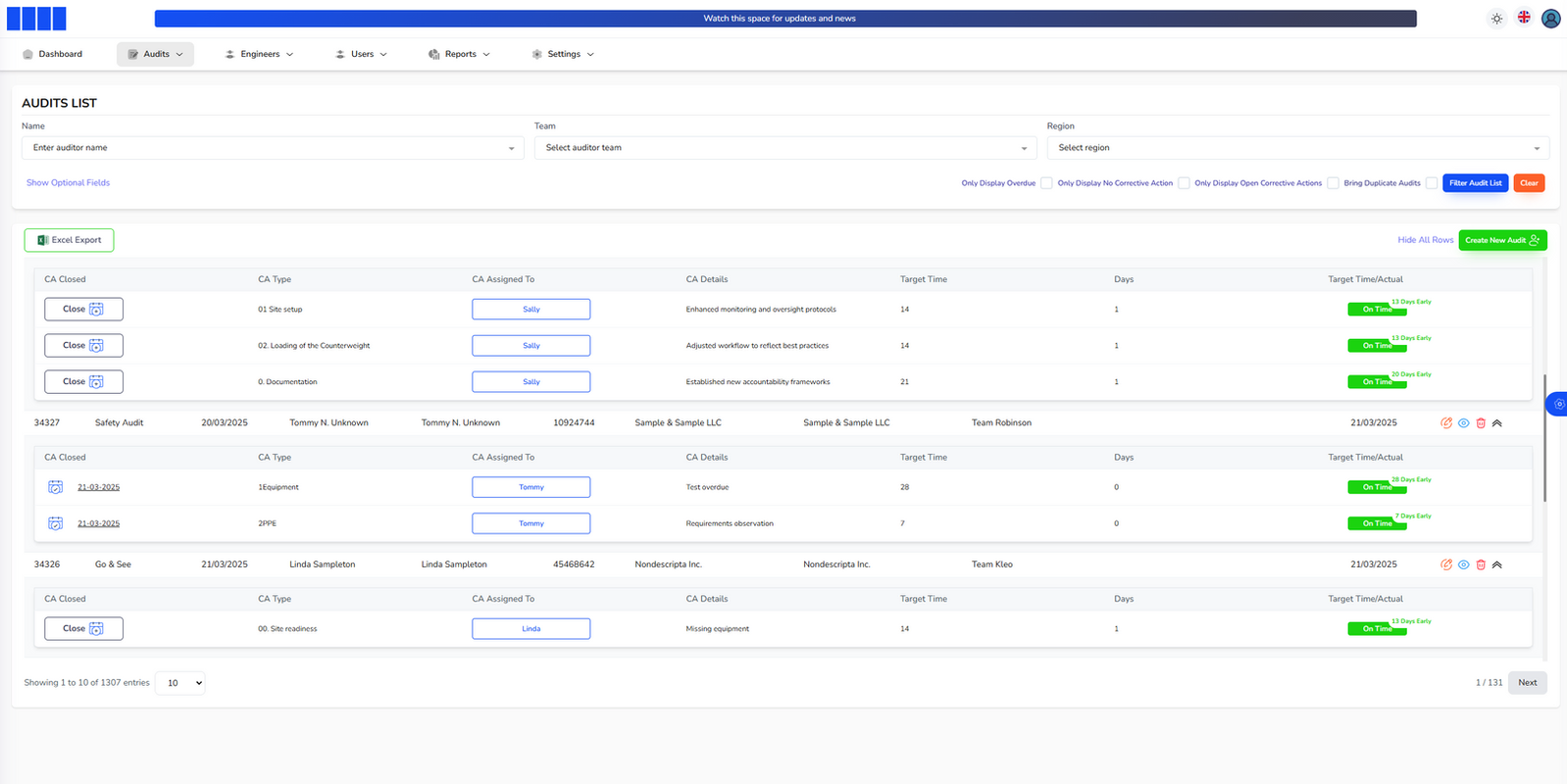
Every finding opens a corrective action with an owner and a target time, and carries its own on-time status. Open and overdue actions sit on the dashboard rather than in somebody’s inbox.
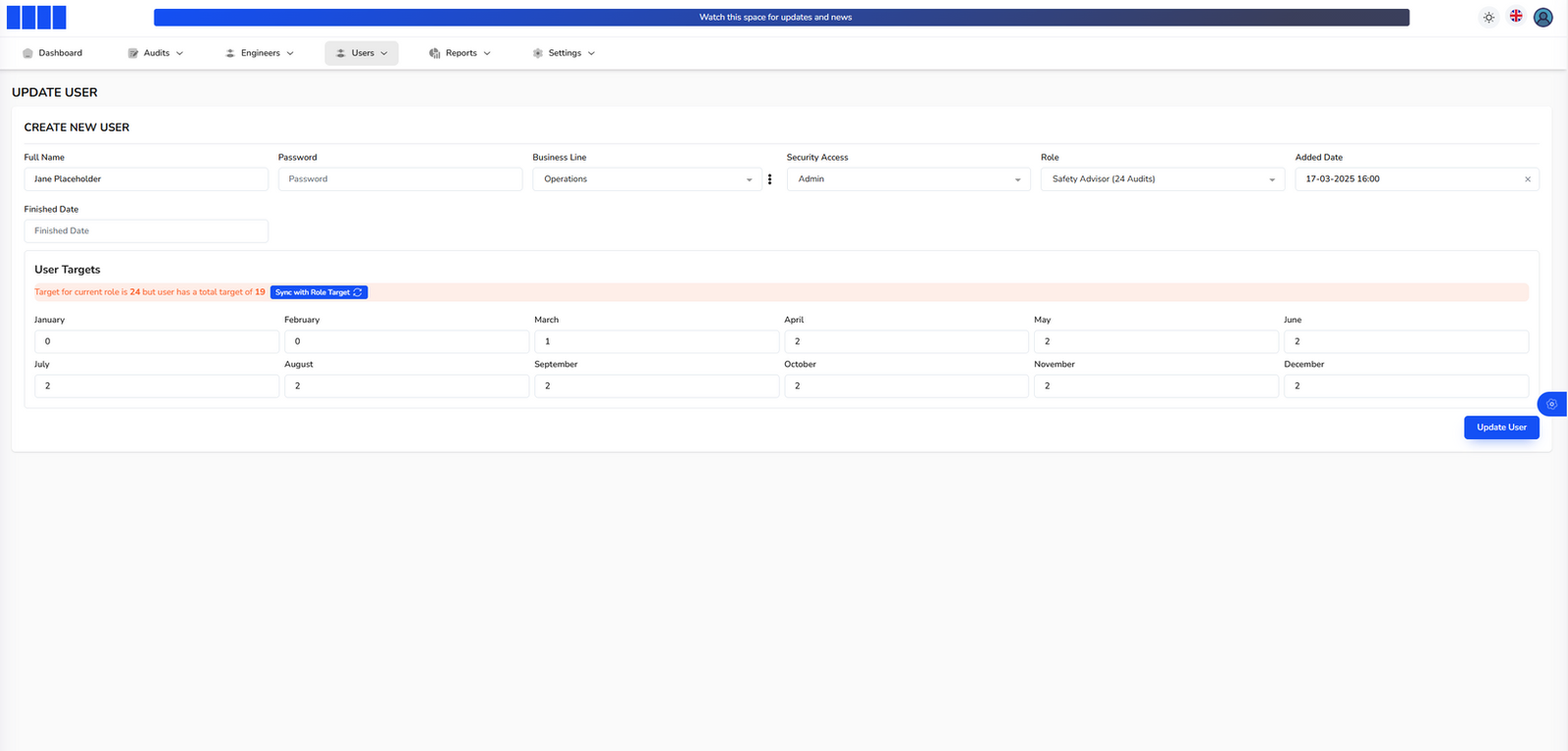
Targets are set monthly on each auditor’s own user record, next to their security access. Progress against target is visible from the first month, per auditor, per team and per region.
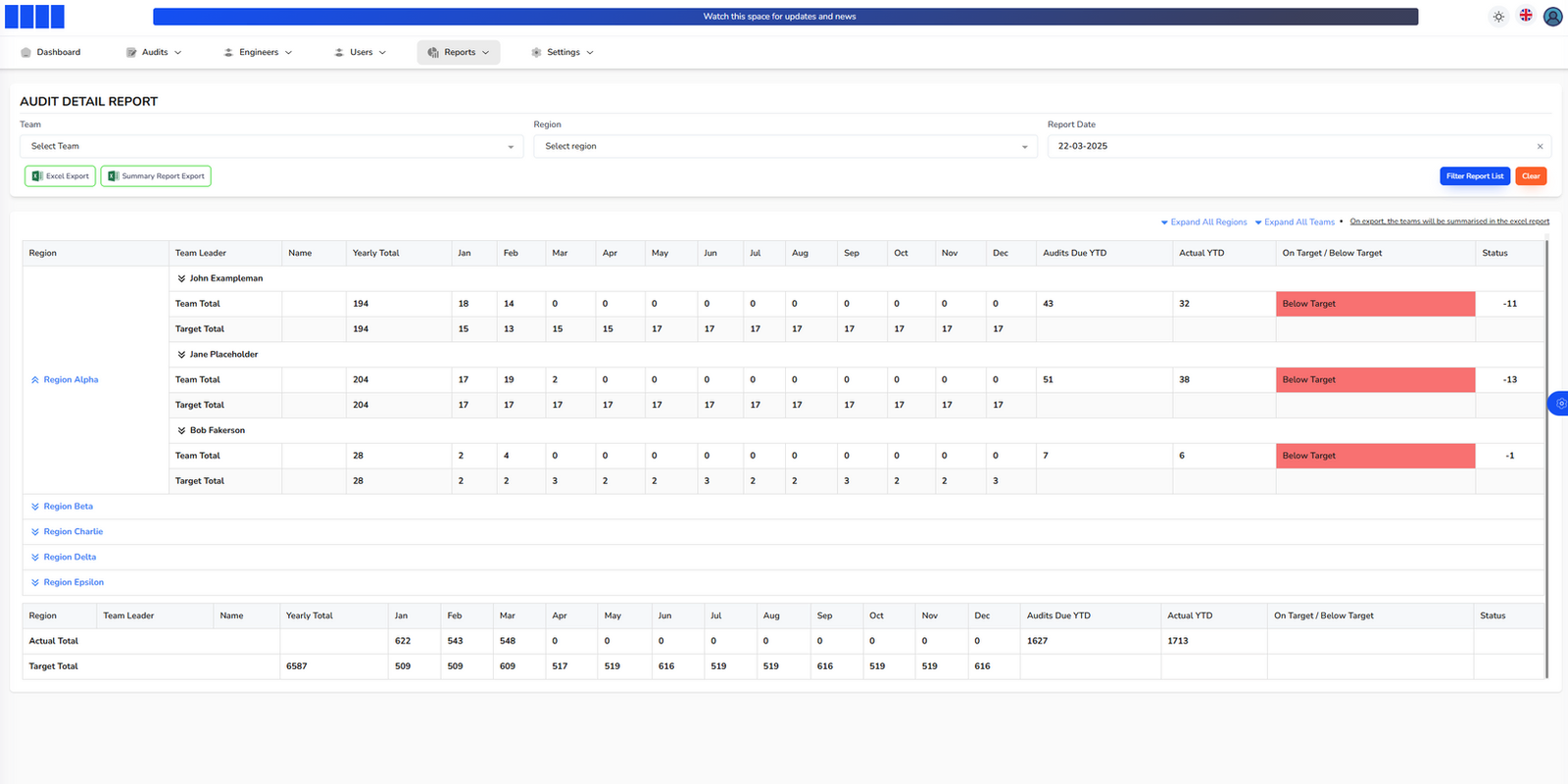
The reporting rolls up monthly and year-to-date totals against target side by side, so a manager sees who is ahead and who is behind without exporting anything.
Screens
What it looks like in use.
Features
What is in it
- Audits recorded against equipment, customer, location and region
- Optional filters for business line, sub-contractor, team and equipment number
- A corrective action per finding, each with an owner and a target date
- On-time / overdue status tracked on every action
- Monthly audit targets set per user, alongside their access rights
- Dashboard of auditor progress, monthly targets and open or overdue actions
- Detail report comparing each team’s monthly and year-to-date totals against target
- Audit intake through Jotform, so existing forms did not have to be rebuilt
- Microsoft SSO, so there is no extra password to manage
Under it
How it is built
Jotform stayed in the picture on purpose: the field forms already worked and the advisors already knew them, so the portal takes the submissions rather than asking everyone to learn a new way of filling in an audit. Microsoft SSO meant the rollout did not come with a password reset problem attached.
Questions
The things people ask first.
Does this only suit elevators and escalators?
No. It was built for that industry, but the shape — an inspection against a piece of equipment at a customer site, findings that become owned actions, and targets per inspector — is the same in lifting equipment, fire safety, food hygiene, plant hire and facilities management.
Can auditors keep using the forms they have?
In this case yes: submissions come in through Jotform. Any form tool that can post a submission can feed a portal like this.
What stops corrective actions from being forgotten?
Each one has a named owner and a target time, and the dashboard shows open and overdue counts. The point of the design is that an action with no owner cannot be created.
Can it report by region and by team at the same time?
Yes. The detail report compares each team’s monthly and year-to-date totals against target, and the audit list filters by region, team and business line independently.
If you run an inspection or audit programme and the reporting side of it is held together by spreadsheets, that is the part worth fixing first. I am at cuneyt.irmak@outlook.com.
More work
Other systems I have built.
- TradeSorterBarcode stock control and purchase orders for hardware stores and builders’ merchants.
- Inventory, Costing & Margin PortalMaterials, estimates and real margin per build, across multiple factories.
- Event & Team Management PortalWeek-by-week crew planning with hotels, vehicles and invoice status per event.
- Scientific Instrument Project Management PortalLab job intake, quoting and approval for in-house machine shops.
- Schedule Planner PortalWeekly rotas across sites, typed by session, with activity counts for funders.